

Veeam to Wasabi suddenly 403: Compliance and Object Lock are not the same thing

Veeam offloading backups to Wasabi cloud storage, and suddenly every job fails:
Failed to pre-process the job Error: REST API error: 'S3 error: Access Denied
Code: AccessDenied', error code: 403
Agent failed to process method {Cloud.CreateCheckpoint}.
First instinct on a 403: access key permissions. But the key hadn’t changed, nor had the bucket policy. A support case with Wasabi produced an unexpected answer:
Veeam does not support Wasabi’s Compliance feature. For object immutability, use an Object Lock bucket instead; if immutability isn’t needed, disable Compliance mode on the bucket.
Root cause: two “immutables”, only one usable
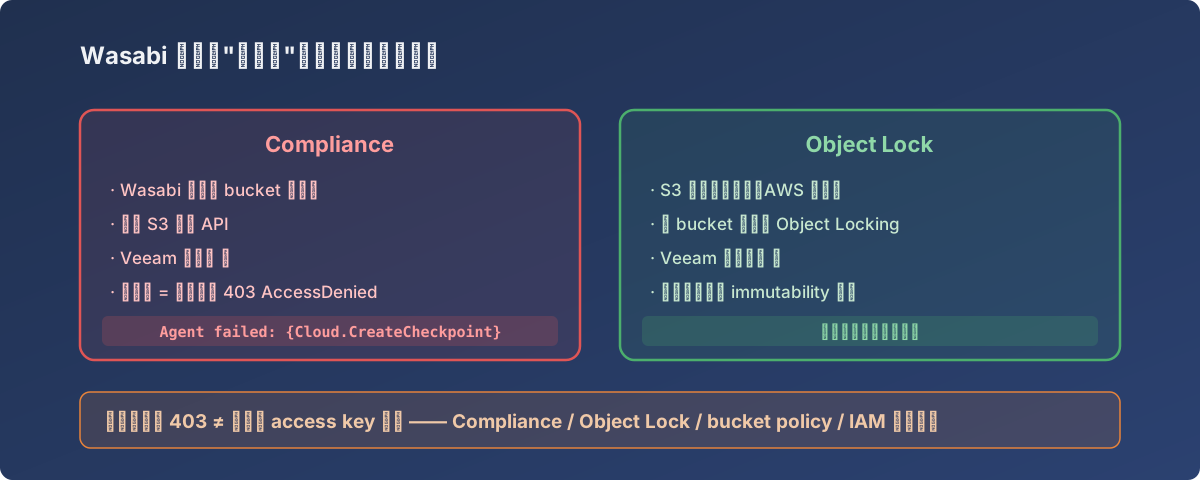
One picture to tell the two apart — choose the left one and Veeam 403s all the way
Wasabi has two independent immutability mechanisms, both sounding like “delete protection”:
| Feature | Layer | Veeam support |
|---|---|---|
| Compliance | Wasabi’s own bucket-level setting | ❌ No |
| Object Lock | The S3-standard object lock (AWS-compatible API) | ✅ Yes |
When creating the bucket we saw “Compliance”, thought backups should be compliant and tamper-proof, and ticked it — and from Veeam’s perspective, its S3 API calls were being blocked by Compliance mode, surfacing as an inexplicable 403.
The fix
Two roads, per support:
- Need immutable backups (our case): create a new bucket with Object Lock enabled, repoint the Veeam job, configure immutability days in the repository settings;
- Don’t need immutability: switch Compliance off on the existing bucket; jobs recover immediately.
We took road 1 — and used it as the excuse for a full immutable-backup disaster rehearsal (separate post).
Lessons
- A 403 isn’t necessarily permissions — object-store 403s can come from any policy layer (Compliance, Object Lock, bucket policy, IAM). Peel them in order;
- When third-party software meets object storage, treat “S3-compatible” with suspicion: vendor-specific features (like Wasabi Compliance) often live outside the compatibility envelope;
- Don’t tick unfamiliar options at bucket creation — check the compatibility docs against your backup software first. Wasabi’s own “Compliance vs Object Lock” article, read up front, saves a support case.