

Creating a sensitivity label fails with 'Rights Management is not active': the UI moved, the switch didn't

Creating the first sensitivity label for company documents in the Microsoft Purview portal, a few steps into the wizard — Label details, Scope — it suddenly errors out:
Rights Management is not active for this tenant.
There’s no “activate” button anywhere in the UI — Purview’s label wizard only defines the label’s name, scope and permission rules; it assumes the underlying rights-management service is already switched on.
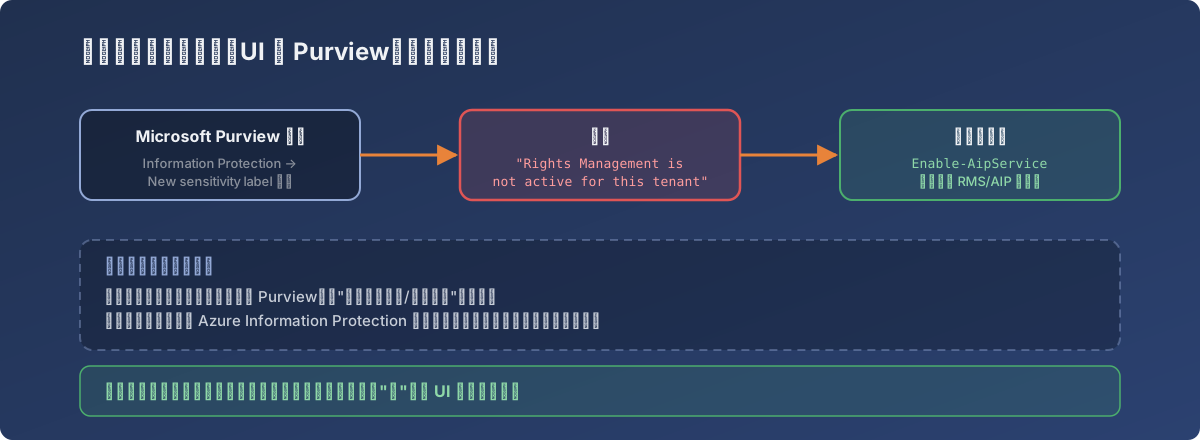
The interface got modernized; the switch underneath is a decade-old holdover from Azure Information Protection
Root cause: a tenant-level setting, not in Purview’s UI
The encryption capability behind sensitivity labels relies on the Rights Management Service (RMS, i.e. Azure Information Protection / AIP). This service has a tenant-level on/off state — older tenants often default to off — and that switch was never migrated into Purview’s new interface; it’s still only reachable through its dedicated PowerShell module.
Microsoft’s official path (Activate the protection service):
Install-Module -Name AIPService
Connect-AipService
Enable-AipService
Get-AipServiceConfiguration    # confirm status is Enabled
After activation, re-run the label creation wizard in Purview and the step that blocked earlier passes cleanly.
Why this one is easy to fall into
- Purview is Microsoft’s recent effort to unify several older products — Compliance, Information Protection, DLP — under one modern portal. The interface is new, but many underlying service switches still live on their original management plane (here, AIP’s PowerShell module);
- New users/admins have likely never heard the old name “AIP” and operate exclusively inside Purview, so this error offers no intuitive clue where to look;
- The official docs frame this activation as a “one-time setting” — established tenants never hit it again, which keeps this pitfall relatively undiscussed in community forums.
While we’re here: co-authoring for labeled files
Investigating this, a separate switch in Purview’s Information Protection Settings caught the eye: “Turn on co-authoring for files with sensitivity labels” — enabling it lets Office documents encrypted by a label support simultaneous multi-user editing. This too is a one-time, effectively irreversible (turning it off requires PowerShell and understanding the consequences) tenant-level setting worth planning at the same time labels roll out, rather than discovering after the fact that co-editing doesn’t work.
Lessons
- When Purview errors with “configuration looks right but the service isn’t active,” first check whether this capability has a tenant-level activation switch independent of the current UI — Microsoft’s product consolidation is incremental, and old switches often stay where they were;
- PowerShell modules are essential for diagnosing modern M365 portal errors — a lot of underlying state can only be read and changed there; the GUI is just a skin over it;
- Before rolling out a new information-protection capability, list the one-time and irreversible settings (RMS activation, the co-authoring switch) and plan them up front — don’t wait for user complaints to discover a missed step.