

Outlook search dead after an Exchange CU: rebuilding the Content Index (with a heart-stopping cameo)

After installing CU23 and the month’s Security Update on Exchange 2013, users started reporting Outlook search returning nothing (mostly older Outlook clients, which rely on server-side search).
Confirming it
Get-MailboxDatabaseCopyStatus * | ft -autoThe ContentIndexState column: Failed, on every database. Index corruption after a CU touches the search components — a well-known Exchange 2013-era failure.
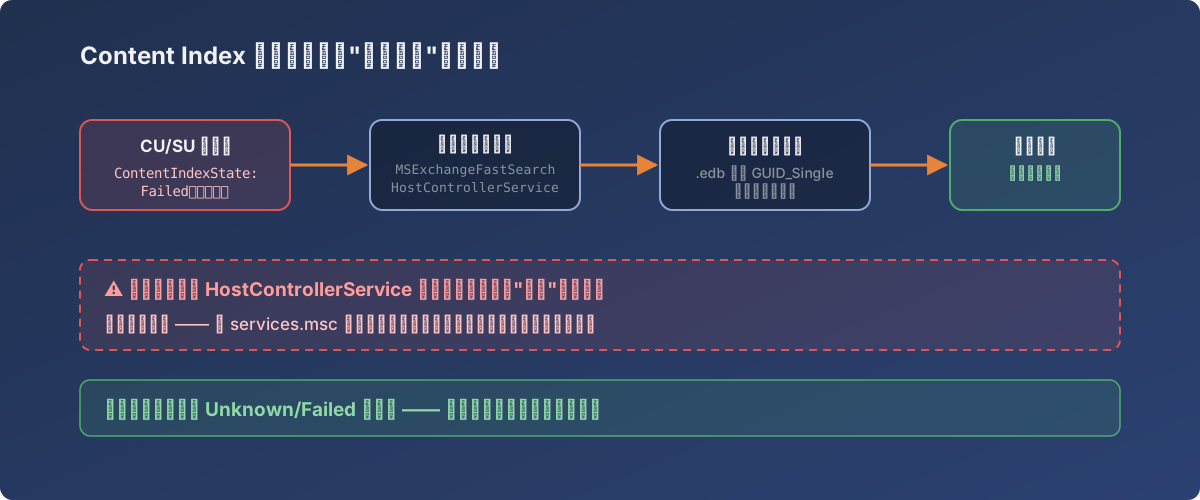
The rebuild pipeline — the red dashed box is where your heart skips a beat
Rebuilding the Content Index
The standard procedure (search is down for the duration and the rebuild loads the server — schedule out of hours):
# 1. Stop both search services
Stop-Service MSExchangeFastSearch
Stop-Service HostControllerService

# 2. Delete (or rename, as insurance) the content index folder
#    It's the GUID_Single-style folder next to the .edb

# 3. Restart the services; the index rebuilds automatically
Start-Service MSExchangeFastSearch
Start-Service HostControllerService
The cameo: the service disappears
Right after stopping HostControllerService, something alarming happened — the service vanished from the service list and wouldn’t start.
For one moment I believed I’d broken Exchange search entirely. Some searching confirmed: this is normal. The Search Host Controller briefly disappears from some views after stopping — by design (a community’s worth of admins have been scared by it). The fix is gloriously low-tech: find it in services.msc and click Start. It comes back.
Watching the rebuild
After the services restart, ContentIndexState will show Unknown or even Failed for a while — don’t panic. Check the database folder instead: the new index folder is already being generated. Give it time (minutes to hours depending on mailbox volume) and the state flips to Healthy; user search returns.
Lessons
- Add to the post-CU/SU checklist: one
Get-MailboxDatabaseCopyStatusglance at ContentIndexState — don’t wait for users to report broken search; - Search is down for the whole rebuild — communicate first, schedule a window;
- Verify before reacting to “the service disappeared” — panicking into a search-component reinstall right there would have been the real disaster;
- Failed/Unknown during a rebuild doesn’t mean it isn’t running — trust the index folder on disk, not the status column.