

Before shopping for a DR solution, list your existing backup's blind spots

Evaluating professional disaster-recovery (DR) solutions (comparing Datto, Druva and others), step one was the standard drill: fill out the vendor’s sizing form — listing every server’s hardware spec, role, and data volume, to estimate storage needs and pricing. Filling out that list surfaced two blind spots in the existing backup setup that nobody had ever squarely confronted.
Blind spot one: a server that was never really backed up
Reviewing server roles turned up one machine running RDS (Remote Desktop Services) that VEEAM had never been able to back up properly, due to a compatibility issue. The workaround at the time had been the most primitive fallback — local Windows Server Backup, roughly 400 GB.
That’s not “no backup,” but it’s also nowhere near “effective DR”: a local backup sits physically bound to the same machine as production data. When the machine itself fails (hardware damage, ransomware encrypting the whole disk), the backup dies with it. This server had a long-standing, never formally acknowledged gap in the DR map.
Blind spot two: a database size that never adds up
Another server, running SAP, had an MSSQL database with an actual size of 2–3 TB, yet the daily full backup file was only 590 GB — a four-to-fivefold discrepancy.
Nobody could explain it on the spot: heavily compressed, never-purged historical logs and temp tables? Some exclusion rule quietly skipping something in the backup software? Or was the “2–3 TB” estimate itself wrong? Whatever the answer, any number you can’t account for shouldn’t go straight into a vendor’s quote form — a wrong number only produces a wrong price and a wrong capacity plan.
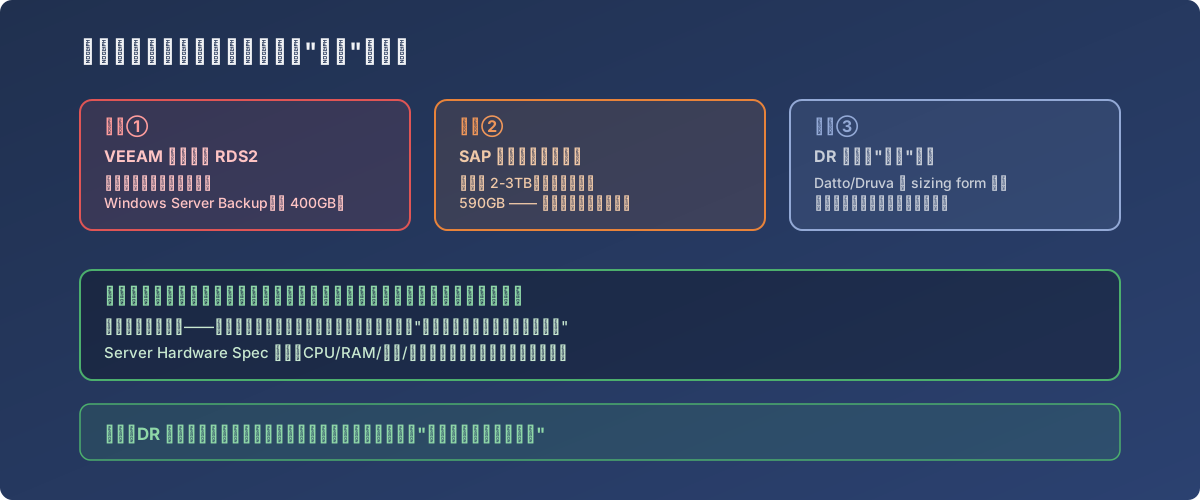
The sizing form asks for numbers, but the numbers themselves might be the actual problem
The right order
The first document in choosing a DR solution shouldn’t be the vendor’s quote — it should be your own “current protection blind-spot list.”
- Audit coverage first: verify, server by server, whether it’s actually being effectively backed up — not whether it appears in the backup software’s job list. A job existing ≠ a backup that works;
- Reconcile the real data volume: databases and file servers’ actual data size and their backup output size should be mutually explicable; if they aren’t, resolve that first rather than capacity-planning against a question mark;
- Negotiate with accurate numbers: the more accurate the sizing form, the closer the quote and future capacity growth track reality, minimizing rework;
- Turn the discovered blind spots into improvement items in their own right — no need to wait for the DR rollout; the VEEAM-incompatible server can get a separate interim fix (a different agent, isolation, or accepting local backup as a stopgap that’s explicitly logged as a risk).
Lessons
- A vendor’s quote is only accountable for the numbers it receives — it won’t proactively discover that a number was wrong to begin with;
- A backup job “succeeding” and a server being “actually covered” are two different things — verify role and protection status machine by machine to draw the real coverage map;
- A data-volume discrepancy is itself a signal worth its own investigation — don’t wave it off as “just put something in the form.”